 Mentoring
Mentoring: Online Mentoring and Coaching Programs
Transfer the experience directly to those who need it
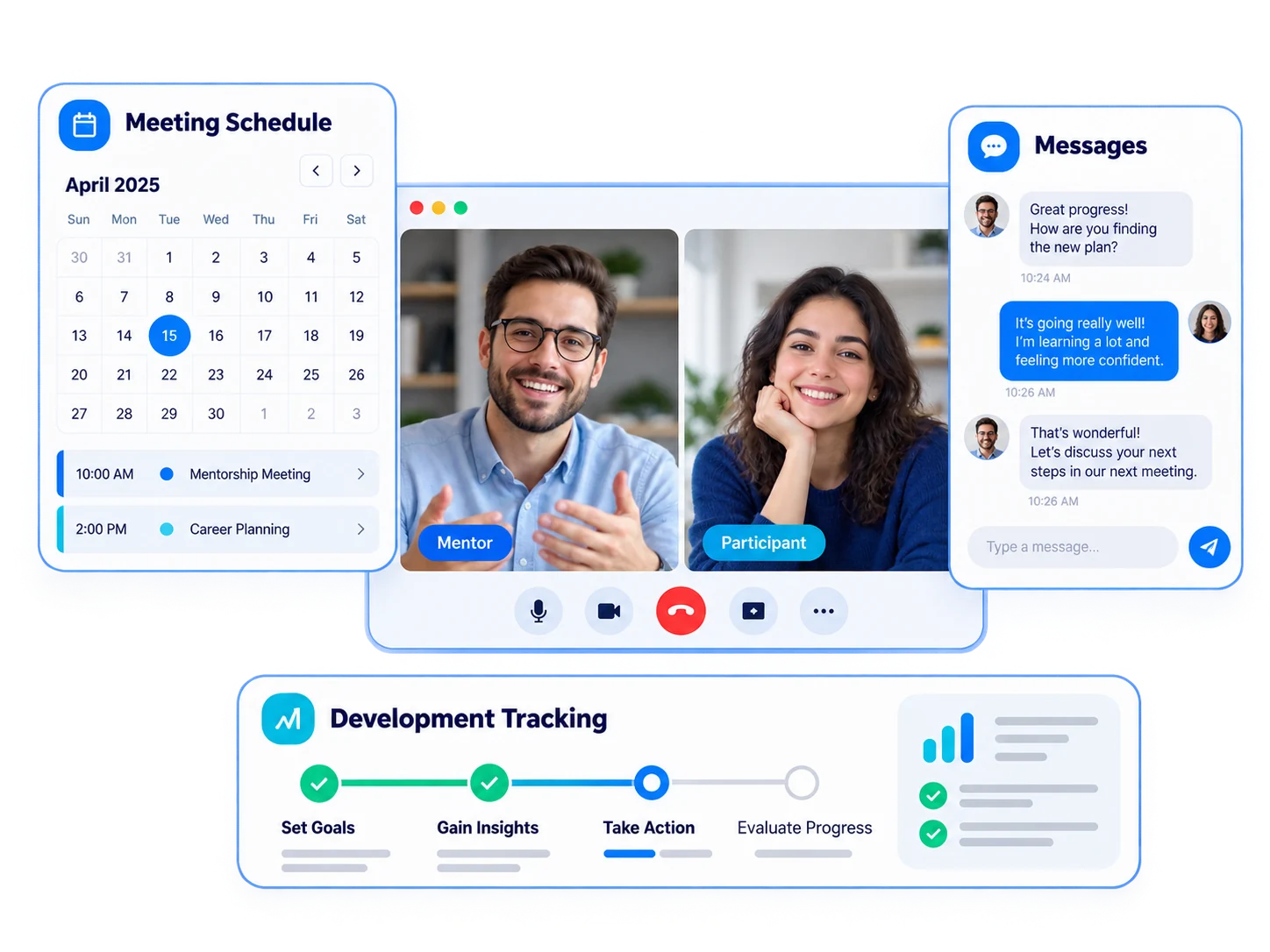
Bring mentors and participants together on the same platform. Plan one-on-one and group meetings, maintain communication via messaging, and track progress with reports.
 Mentoring
programs
Mentoring
programs Exactly
conversation
Exactly
conversation Messaging
 Interview
planning
Interview
planning Development
tracking
Development
tracking
One flow from meeting to development
Identify program goals and mentors. Schedule calls on the calendar, hold live calls from within the platform; The communication between them should continue through messaging, and progress should be reported.
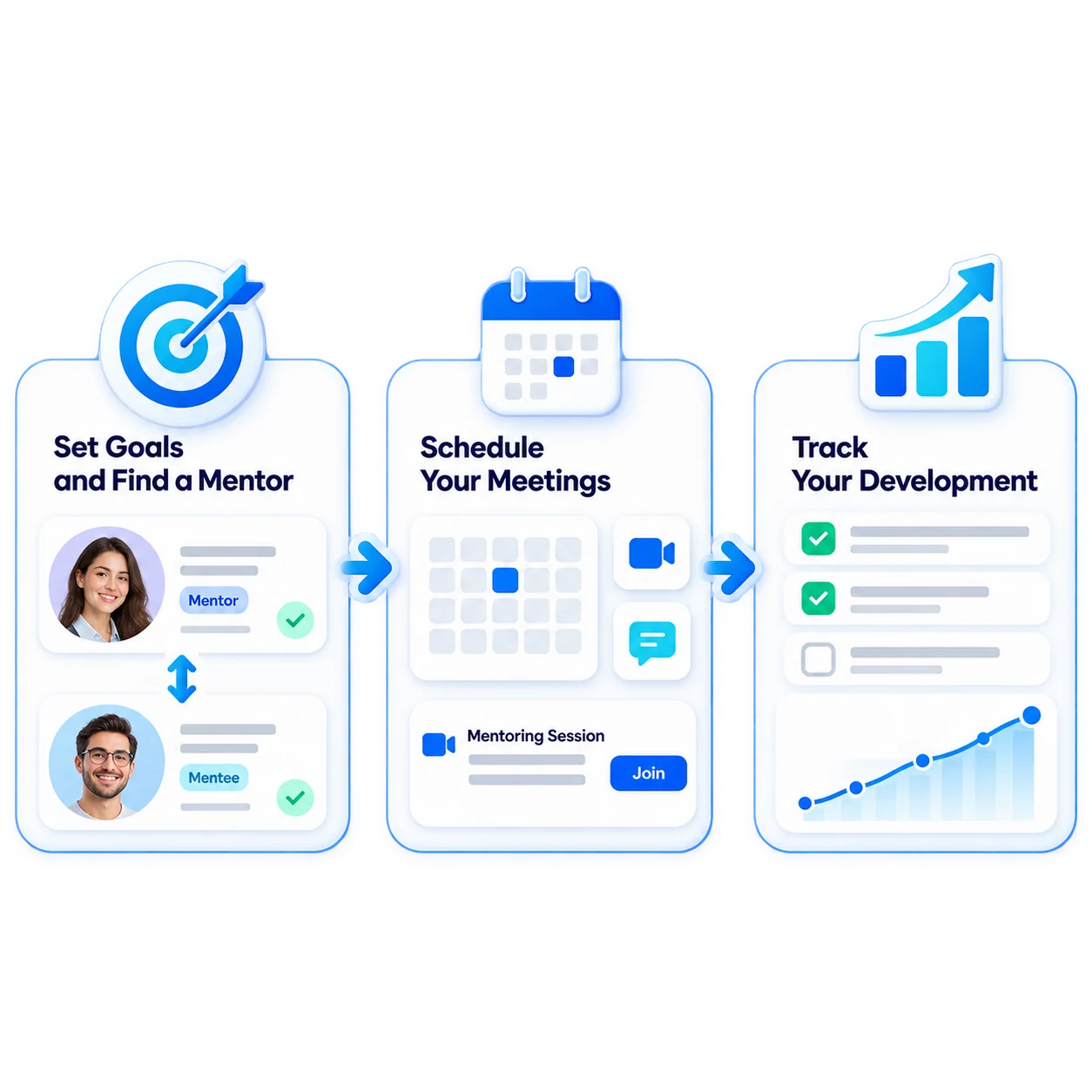
- 1Define Program
- 2Identify Mentors
- 3Schedule Meetings
- 4Meet One on One
- 5Monitor Development
What can you do with mentoring?
Vedubox turns the mentoring and coaching relationship into a planned, sustainable and measurable program.

Mentoring Programs
Establish mentoring programs for onboarding, leadership or career development.

Mentor Role
Mentors can see the reports of the people they are responsible for.

One-to-One Meetings
Make video calls from within the platform.

Meeting Planning
Schedule meetings and meetings on the desired days and times.

Messaging
Keep in touch between calls via instant messaging.

Development Path
Assign a learning path that accompanies the mentoring process.

Tasks and Assignments
Give tasks between meetings, make the development concrete.

Progress Reports
Follow the participant's progress with reports.
Not just an interview, but a structured development program
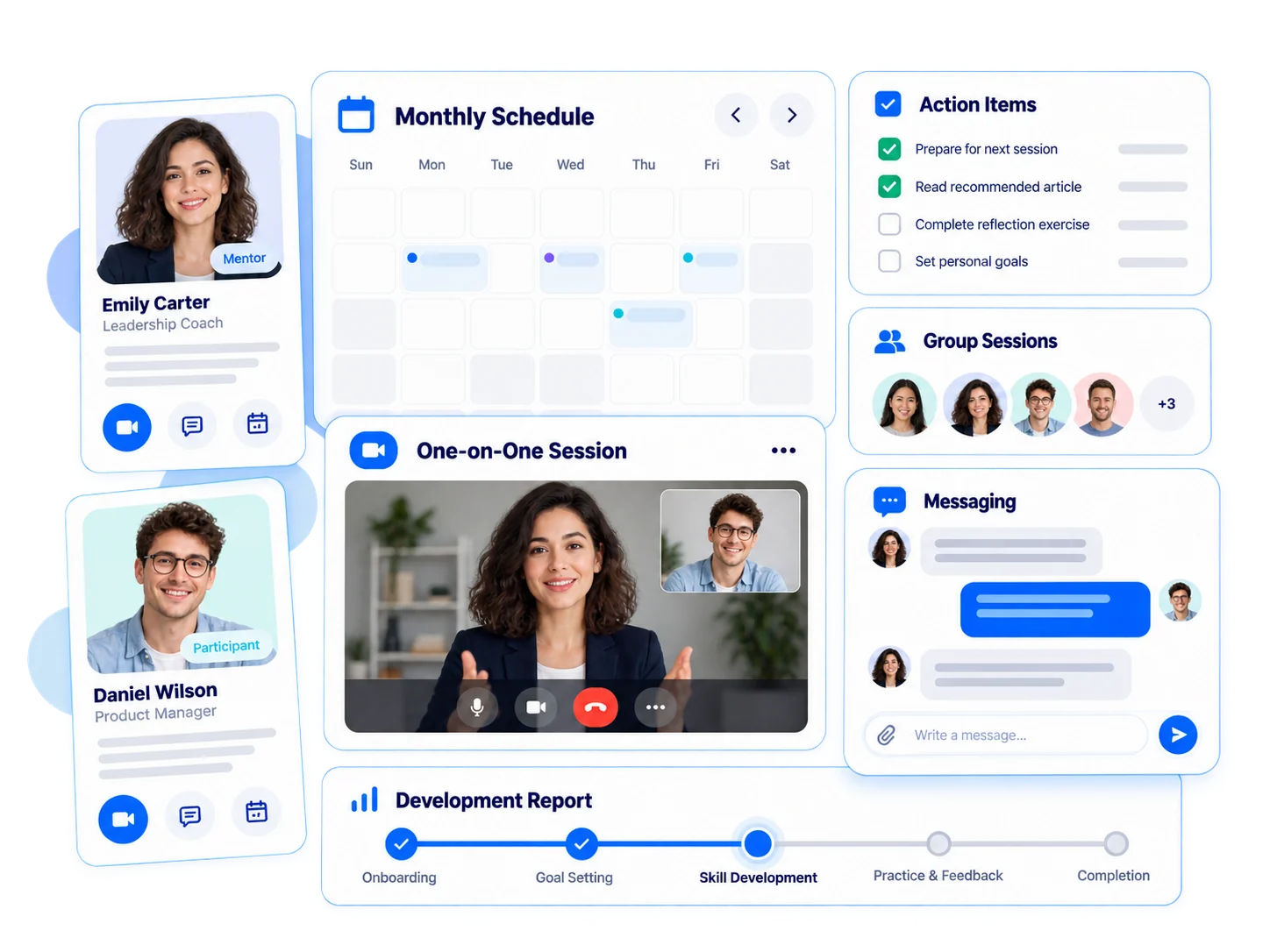
Mentoring ensures the transfer of experience in the organization to new employees and future leaders in a planned manner.
- Make one-on-one and group calls
- Schedule meetings in the calendar
- Assign tasks between calls
- Keep in touch via messaging
- Track development through reports
For every audience, one-to-one development

Employees
Onboarding and leadership mentoring

Customers
Customer success interviews

Sales Teams
Field coaching and sales mentoring

Dealers / Partners
Dealer development and consultancy meetings

Universities
Student guidance and parent meetings

Training Companies
Online coaching and consultancy programs
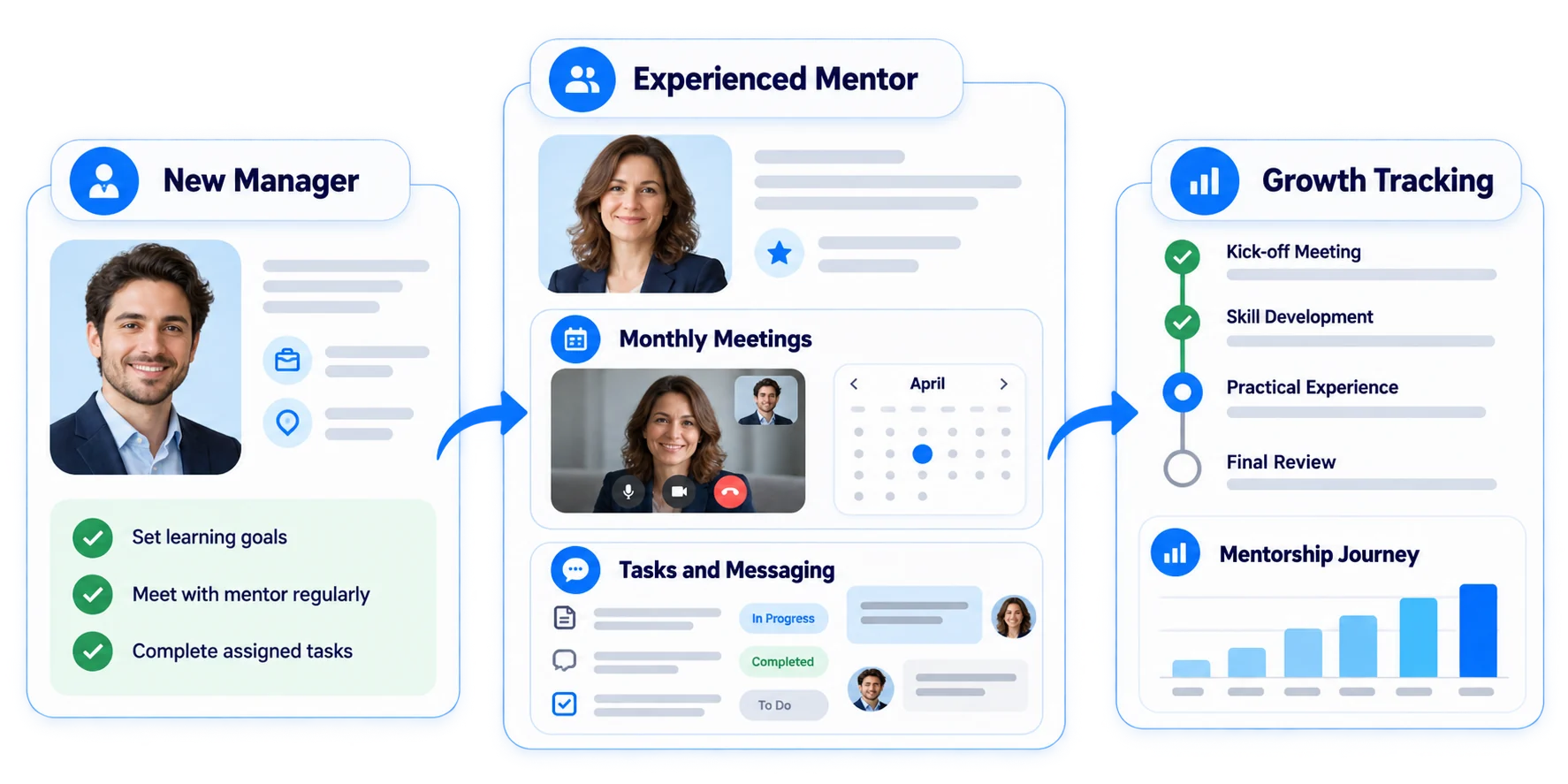
An experienced companion for the new manager
Pair your newly promoted managers with an experienced mentor. Monthly meetings should be planned in the calendar, and tasks and messaging in between should be carried out on the platform; Monitor progress with reports.
Ecosystem
Mentoring works with other components of the Vedubox ecosystem.

Mentoring
Support one-on-one development

Appointment Management
Schedule meetings

Live Training
Have live conversations

Messaging and Notifications
Stay in touch

Learning Paths
Build learning journeys

Personal Coach
Personalize learning

Skills Analysis
Identify competency gaps

LMS / LXP
Publish and manage training

Analytics & Reporting
Track learning outcomes
WhyMentoring?
Transfer of experience
The knowledge in the institution is transferred from person to person.

Planned process
Meetings are on the calendar, tasks are on the platform.

Uninterrupted communication
Messaging continues between calls.

Measurable improvement
Progress appears in reports.

One Platform
Interview, task, training and reporting are in the same ecosystem.

Built for Enterprise Scale
Manage all mentoring programs with the same infrastructure.
Transfer experience verbatim, accelerate development
Make your mentoring and coaching programs planned and measurable.