 Live Training
Live Training: Virtual Classroom and Webinar Platform
Live lessons with one click, inside your LMS
Start Zoom, Teams, Webex or Google Meet lessons from Vedubox. Participants join with one button while attendance durations, recordings and certificates are handled automatically in the background.

 Zoom, Teams,
Webex, Meet
Zoom, Teams,
Webex, Meet Webinars for up to
10,000 participants
Webinars for up to
10,000 participants Automatic
attendance
Automatic
attendance Automatic
recording
Automatic
recording Automatic
certificates
Automatic
certificates
From scheduling to certification in one workflow
Schedule a lesson in the Vedubox calendar. Participant calendars update and SMS and email notifications are sent automatically. Start the lesson with one click, record attendance durations and add the recording to the replay area.
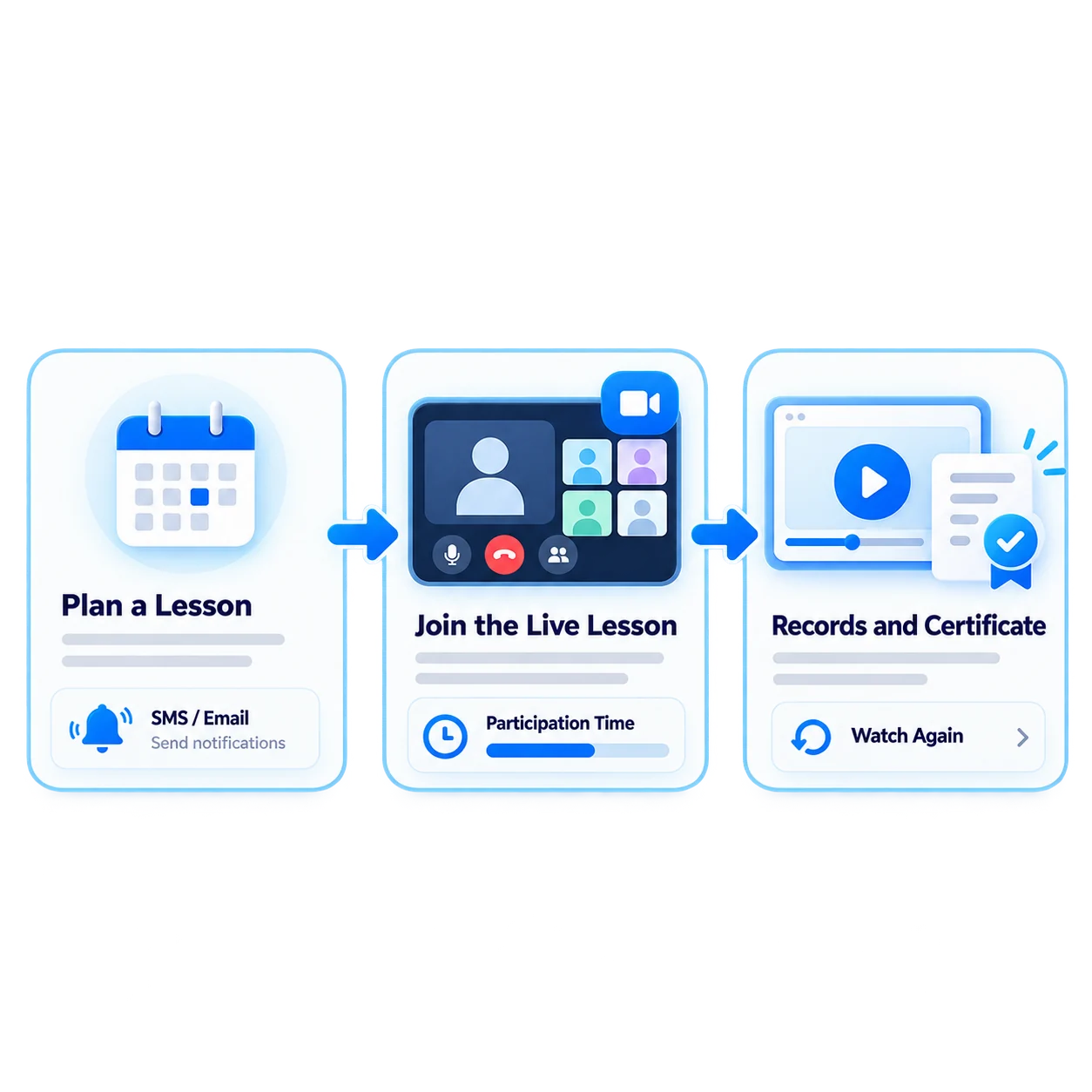
- 1Schedule the Lesson
- 2Notify Participants
- 3Start with One Click
- 4Record Attendance
- 5Recording and Certificate Ready
What can you do with Live Training?
Vedubox lets you manage the entire live training process, from scheduling to reporting, on one platform.

Video Conferencing Integrations
Launch live lessons with Zoom, Teams, Webex and Google Meet.

One-Click Access
Participants join with one button, without a separate meeting ID or password.
Large Webinars
Host webinars for up to 10,000 participants at once.

Automatic Attendance
Record how long each participant attends automatically.

Automatic Recording
Lesson recordings are automatically added to the replay area.

Automatic Certificates
Assign certificates to participants who meet viewing requirements or pass the exam threshold.
Calendars and Notifications
Scheduled lessons appear in calendars, with SMS and email reminders.

Audit-Ready Reports
Compile precise attendance durations and statuses in report records.
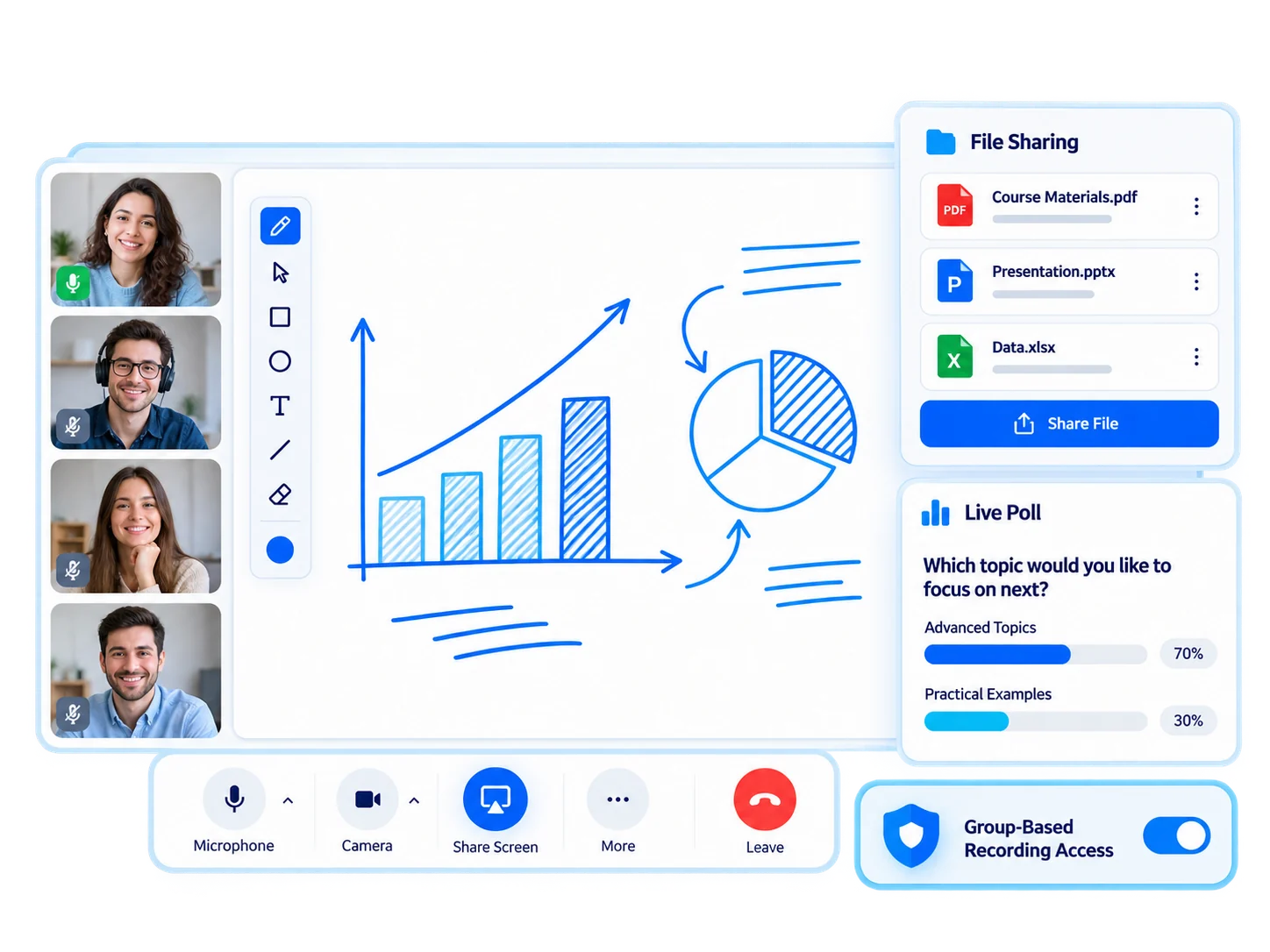
A managed virtual classroom connected to your LMS
Live Training connects the stages before, during and after lessons with your LMS, automating tasks such as sharing links, recording attendance and uploading recordings.
- Share your screen and files
- Write and draw on shared content
- Run instant surveys during live lessons
- Restrict recording access by user group
- Reach up to 10,000 people with webinars
For every audience, live and interactive training

Employees
Onboarding and internal training sessions

Customers
Product training webinars

Sales Teams
Product launches and sales meetings

Dealers / Partners
Dealer meetings and live training

Universities
Live lessons and hybrid classrooms

Training Companies
Live programs and seminars
Audit-ready live training for regulated industries
Deliver mandatory training live on Zoom. Automatically record attendance durations, add the session recording to the replay area and assign certificates to those who meet requirements, keeping records ready for audits.

Ecosystem
Live Training works with the other components of the Vedubox ecosystem.

Live Training
Organize live lessons

Watch Again
Let users replay recordings

LMS / LXP
Publish and manage training

Learning Paths
Build learning journeys

AI Quizzes & Surveys
Assess learning

Web TV
Bring broadcasts together on your channel

WhatsApp
Send training and event notifications

Certification
Recognize achievement

Analytics & Reporting
Track learning outcomes
WhyLive Training?
Less Manual Work
Automate link sharing, attendance tracking and recording uploads.
Familiar Tools
Works with Zoom, Teams, Webex and Google Meet.

Audit-Ready Records
Attendance durations and statuses are available in reports.

Large-Scale Delivery
Reach up to 10,000 people with webinars.

One Platform
Live lessons, content, exams and certificates in one ecosystem.
Built for Enterprise Scale
Manage live training across branches and departments in one calendar.
Automate your live lessons
Manage scheduling, attendance, recordings and certificates on one platform.