 AI Cost Control
AI Cost Control: AI Usage and Budget Management
Scale AI while keeping costs under control
Monitor all Vedubox AI usage, from content creation to learning assistance, in one dashboard. Set limits by department, role and feature to benefit from AI within your budget.

 Usage
tracking
Usage
tracking Budget
limits
Budget
limits Department and role
based
Department and role
based Threshold
alerts
Threshold
alerts Cost
reports
Cost
reports
From usage monitoring to control in one workflow
Set your organization’s AI budget and allocate it to departments and roles. Vedubox tracks usage, warns you as limits approach and reports usage by feature.
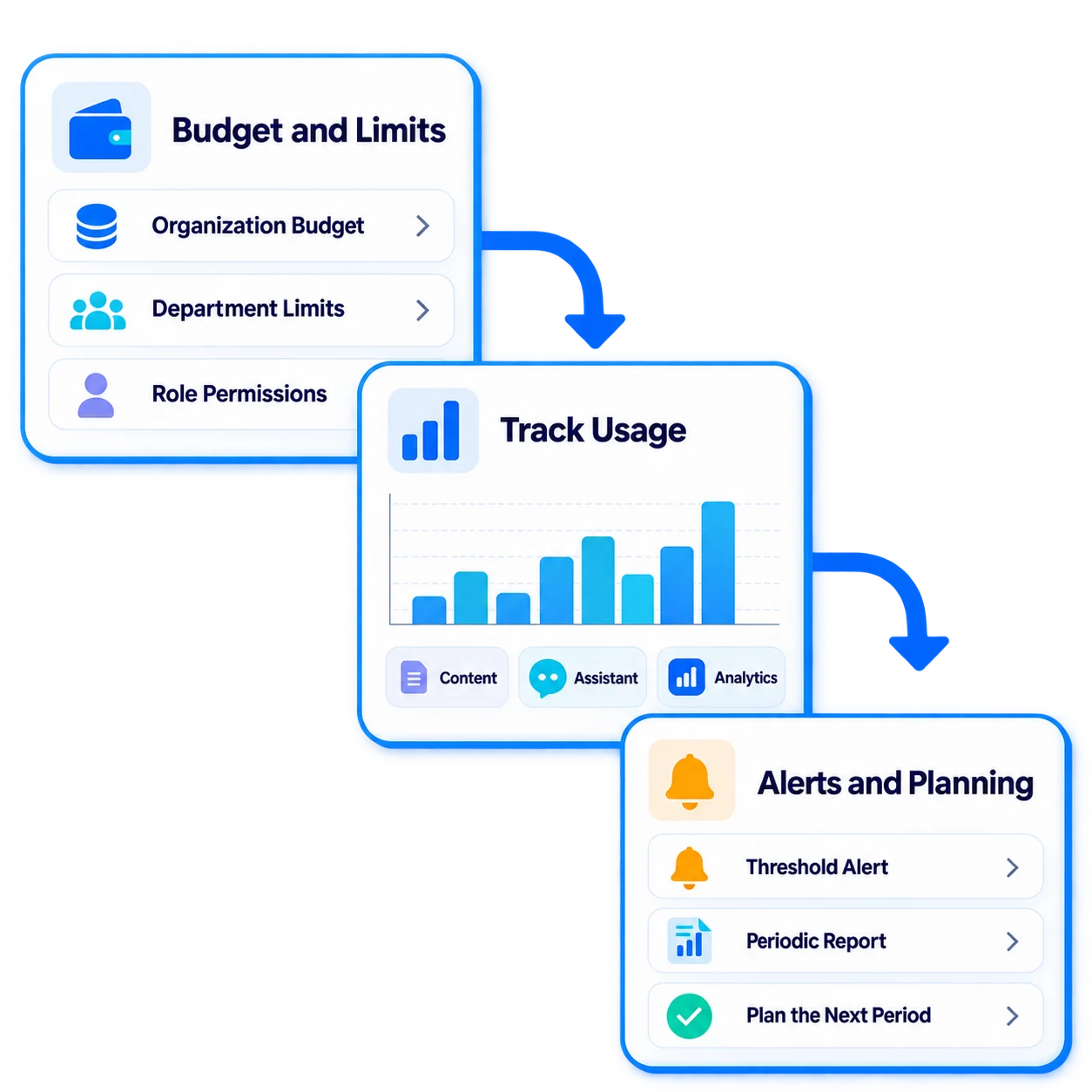
- 1Set the Budget
- 2Allocate Limits
- 3Monitor Usage
- 4Receive Alerts
- 5Report and Plan
What can you do with AI Cost Control?
Vedubox AI makes costs predictable as you expand AI usage across your organization.

Usage Tracking
Monitor AI usage by organization, department and user.

Budget Limits
Set AI usage budgets for your organization and departments.

Role-Based Permissions
Decide which roles can access each AI feature.

Threshold Alerts
Automatically notify administrators when usage approaches a limit.

Feature-Level Visibility
View content creation, assistant and analysis usage separately.

Cost Reports
Get periodic usage and cost reports from one dashboard.

Usage Trends
Track usage over time and anticipate future needs.

Controlled Usage
Manage AI usage in line with your organization’s policies.

A predictable budget for organization-wide AI
AI Cost Control helps prevent unexpected costs as you roll out AI across your organization, with usage and budgets managed in one place.
- Set separate budgets for departments
- Receive alerts as limits approach
- View usage by feature
- Manage permissions by role
- Plan with periodic reports
For every team, controlled AI usage

HR and Training Teams
AI usage aligned with training budgets

Customer Training
Predictable costs for customer academies

Sales Teams
Team-specific usage limits

Dealer Networks
AI usage tracking by dealer

Universities
Budgets by faculty and department

Training Companies
Cost planning by program
Protect your budget as you expand AI usage
When you roll out AI Content Studio and the Learning Assistant to all departments, set a separate usage budget for each one. Alert administrators when limits approach and use end-of-period reports to plan the next cycle.

AI Ecosystem
AI Cost Control manages usage of Vedubox AI components in one place.

AI Cost Control
Manage AI usage

AI Content Studio
Create training content

AI Quizzes & Surveys
Assess learning

AI Assistant
Support learning with your organization’s knowledge

Personal Coach
Personalize learning

AI Roleplay
Practice with realistic scenarios

Skills Analysis
Identify competency gaps

LMS / LXP
Publish and manage training

Analytics & Reporting
Track learning outcomes
WhyAI Cost Control?
Predictable Budgets
Avoid unexpected AI costs at the end of the period.
Full Visibility
See how much each department uses every feature in one dashboard.
Flexible Permissions
Adjust limits and permissions by department and role.
Proactive Alerts
Receive warnings before limits are exceeded.

One Platform
Monitor every AI feature in one dashboard.

Built for Enterprise Scale
Roll out AI across your organization with control.
Scale AI while keeping costs under control
Benefit from AI across your organization with a predictable budget.