 Announcements
Announcements: Internal Announcement Management
Share important news with everyone at once
Announce new training, events, procedure changes and organizational news within the platform. Users see announcements in Vedubox, with SMS and email support for important updates.

 In-platform
announcements
In-platform
announcements Targeted
announcements
Targeted
announcements Email
support
Email
support SMS
support
SMS
support Survey
feedback
Survey
feedback
From news to users in one workflow
Write your announcement, choose who sees it and publish. Users see it in the platform, while important updates can also be supported by SMS and email.
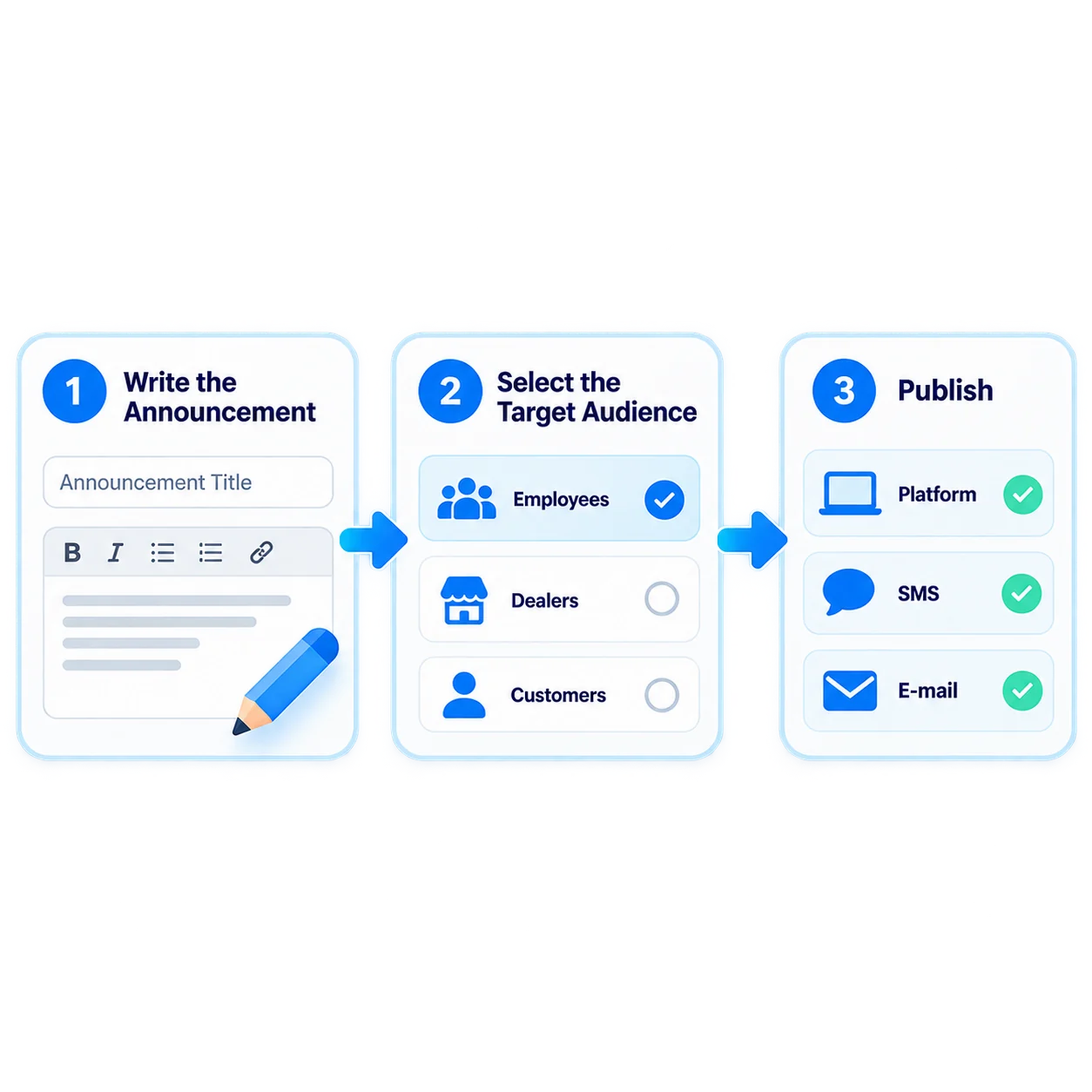
- 1Write the Announcement
- 2Choose the Audience
- 3Publish
- 4Add Communication Channels
- 5Get Feedback
What can you do with Announcements?
Vedubox Announcements let you share training news in one place instead of scattered emails.

In-Platform Announcements
Publish announcements where users already spend their time.

Targeted Announcements
Share announcements with relevant courses or user groups.

Instructor Announcements
Authorized instructors can create their own announcements.

Email Support
Send important announcements by email as well.

SMS Support
Deliver urgent announcements quickly with SMS.

Survey Feedback
Collect user opinions with a survey after an announcement.

Parent Announcements
Offer announcements and surveys to parents in school programs.

Video Announcements
Share important announcements as videos on your Web TV channel.
A central hub for internal communication
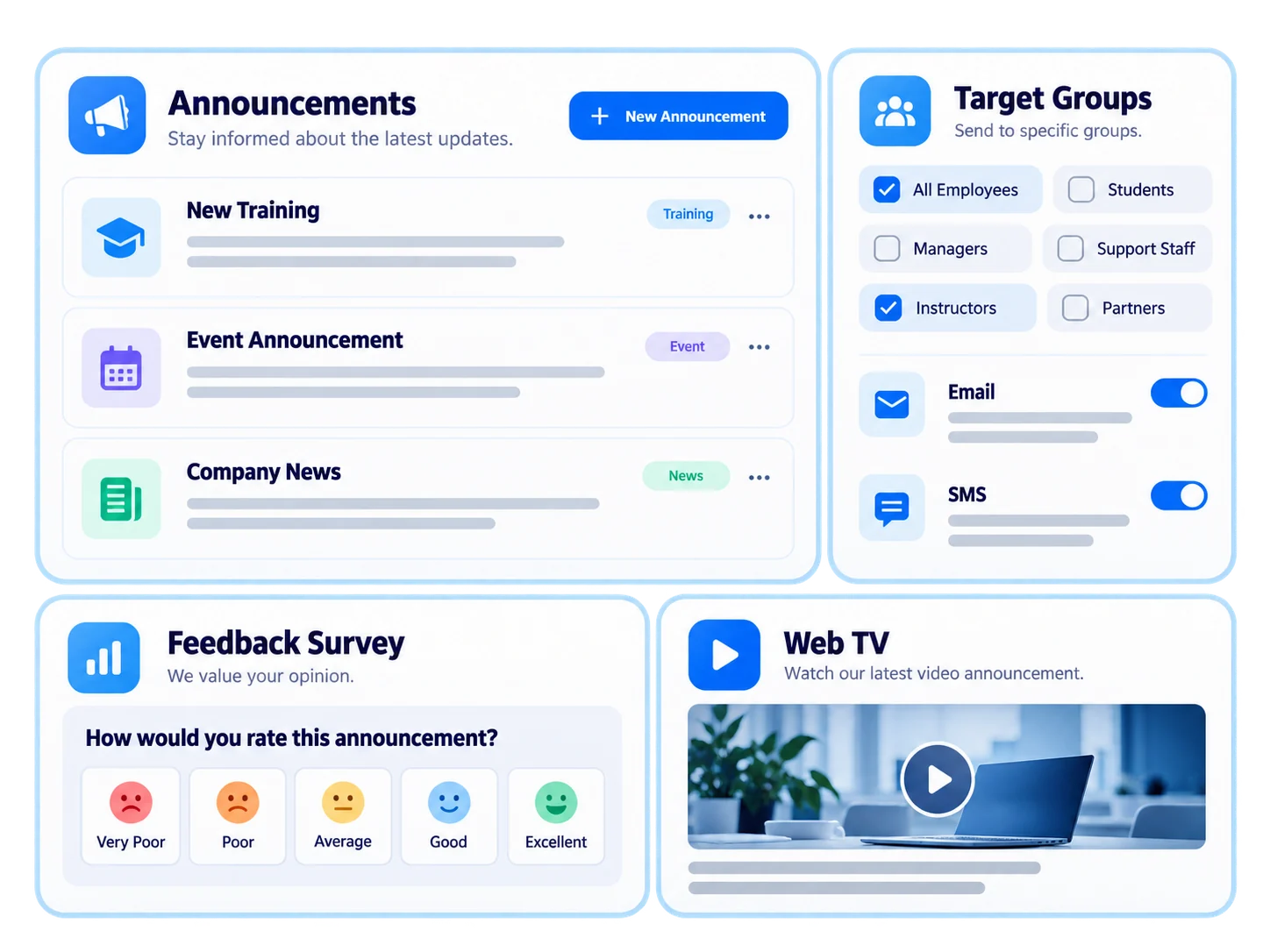
Announcements bring training and organizational news into the platform users already use, helping important information stand out from crowded inboxes.
- Announce new training and events
- Share announcements with relevant groups
- Support announcements with SMS and email
- Get feedback through surveys
- Publish video announcements on Web TV
For every audience, timely information

Employees
Procedure changes and organizational news

Customers
New product and feature announcements

Sales Teams
Promotion and target announcements

Dealers / Partners
Updates across the dealer network

Universities
Class, exam and calendar announcements

Training Companies
Program and event announcements
Keep everyone informed when procedures change
Announce procedure changes to all employees in the platform, with SMS and email support. Assign updated training and use a short survey to check whether the change is understood.

Ecosystem
Announcements work with the other components of the Vedubox ecosystem.

Announcements
Keep everyone informed

Messaging and Notifications
Stay in touch with users

Web TV
Publish video announcements

WhatsApp
Send training and event notifications

AI Quizzes & Surveys
Collect feedback

Online Events
Manage your events

LMS / LXP
Publish and manage training

Forum
Keep your community active

Analytics & Reporting
Track learning outcomes
WhyAnnouncements?

One Place
All announcements appear in the platform users visit every day.

The Right Audience
Announcements reach the relevant people.

Multiple Channels
Support important announcements with SMS and email.

Feedback
Use surveys to see how announcements are received.

One Platform
Announcements, training, surveys and communication in one ecosystem.

Built for Enterprise Scale
Reach every department and location at the same time.
Deliver important news to everyone at once
Publish announcements from one platform, support them across channels and gather feedback.